
eBay buyer says the item is smaller than expected? How to prevent it
"It's much smaller than I expected." If you sell stickers, signs, prints, jewellery, models or decorations, you've almost certainly had this message. The item matched the listing exactly, but the buyer pictured something bigger. It costs you time, sometimes a return, and occasionally a disappointed piece of feedback. The good news: it's one of the most preventable problems on eBay.
Why it happens
- Photos have no sense of scale. A close-up of a 50mm sticker fills the screen just like a 500mm one.
- Buyers skim. Many buy from the photos and price, and never read "50mm" in the description.
- Millimetres are hard to picture. Most people can't imagine 70mm without something to compare it with.
- Several sizes in one listing. The buyer may have meant to pick a bigger option and not noticed.
How to prevent it
- Put the size in the title. For example "Dog Sticker 70mm" rather than just "Dog Sticker". It's the one thing every buyer reads.
- Show scale in your photos. Add at least one photo with something everyone knows next to the item: a coin, a ruler, a hand or a mug. See our guide to showing the size of an item in your listing.
- Give measurements in mm and inches. Some buyers only think in inches. "70mm (2.75 inches) tall" helps both.
- Say which side you're measuring. "70mm" could be the height, the width or the longest side. Say which.
- Name size options clearly. If you sell several sizes, call the option "Size" or "Height" and include the unit in every value: "50mm", "100mm", "150mm".
- Confirm the size after they buy. A thank-you message that repeats the size they chose gives them a chance to say "oh, I meant the bigger one" before you post it. See our thank-you message examples.
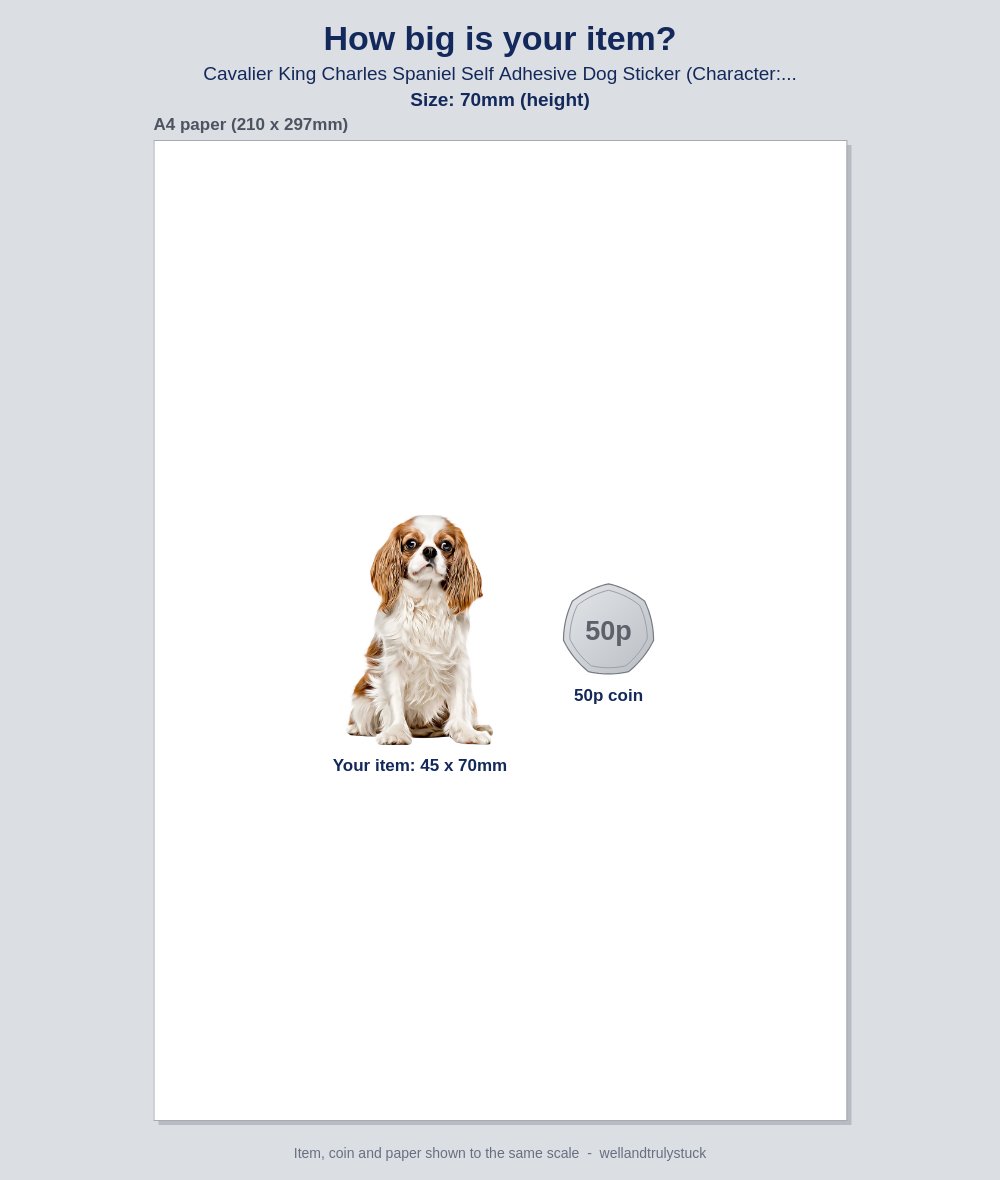
- Show them, don't just tell them. A picture of their item at its true size, next to a coin, answers the question before they ask it.
After-payment message that confirms the size
Hi {buyer_first_name},
Thank you for your order! You've chosen {item_title} in {size}. That's about the size of the picture attached, shown next to a 50p coin.
If you meant a different size, just reply before I post it and I'll change it.
[Your name]
What to do when a buyer says it's too small
- Reply quickly and kindly. The buyer isn't trying to catch you out. They're disappointed.
- Point gently to the size. "I'm sorry it's not what you pictured. It's the 70mm size shown in the listing." No blame, just facts.
- Offer a sensible fix. Swapping to a bigger size for the difference in price often turns a complaint into a second sale.
- Follow your returns policy. If the item matched the listing, it's a change-of-mind return under your normal returns policy. If your listing didn't make the size clear, it may count as "not as described", where eBay expects the seller to cover the return.
- Fix the listing. One complaint usually means others felt the same and didn't say. Add a scale photo or put the size in the title.
Show every buyer the size they ordered, automatically. SellerThanks can attach a "How big is your item?" picture to your after-payment message: the photo from your listing, drawn at the size the buyer chose, next to a 50p coin. It's made for each order, for the exact style and size they picked.
More guides: What to write in an eBay thank-you message, with examples · How to get more eBay feedback without breaking eBay's rules · eBay's rules on messaging buyers, explained · How to reduce returns on eBay: a guide for UK sellers · How to show the size of an item in your eBay listing · eBay dispatch message templates, with tracking · SellerThanks vs 3Dsellers: a simple alternative for small eBay sellers