
How to show the size of an item in your eBay listing
Buyers can't pick up your item and look at it. All they have is your photos and a few words, and photos on their own give no sense of size. Here's how to make the size of your item obvious at a glance.
Photos that show scale
- Next to a coin. Everyone in the UK knows how big a 50p or £1 coin is. It's the quickest way to show size for small items.
- Next to a ruler or tape measure, with the measurement facing the camera.
- In a hand. Good for jewellery, keyrings, badges and small gifts.
- In use. A sticker on a car window or a laptop, a sign on a door, a print on a wall.
- Every size side by side if you sell several, so buyers can see the difference.
Keep your main photo plain and clear (eBay favours a clean main image), and use the scale photos as your second or third picture.
Words that show scale
- Size in the title, for example "Cat Sticker 100mm".
- Measurements in the description in mm and inches, with which side you mean: "100mm (4 inches) tall".
- A comparison buyers can picture: "about the size of a beer mat" or "a little smaller than a credit card".
Size options that make sense
If your listing has several sizes:
- Name the option "Size", or "Height" or "Width" if that's what the number means.
- Put the unit in every value: "50mm", "100mm", "150mm", not "Small, Medium, Large" or bare numbers.
- Use one unit throughout the listing, so buyers can compare quickly.
- If an item has two measurements, give both: "100 x 150mm" (width x height).
Clear size options also mean tools such as SellerThanks can read the size each buyer chose, and repeat it back to them automatically.
After the sale
Even with perfect photos, some buyers won't look closely until it arrives. Confirming the size in your after-payment message, ideally with a picture of their item at its real size, catches mistakes before you post. See what to do when a buyer says it's smaller than expected.
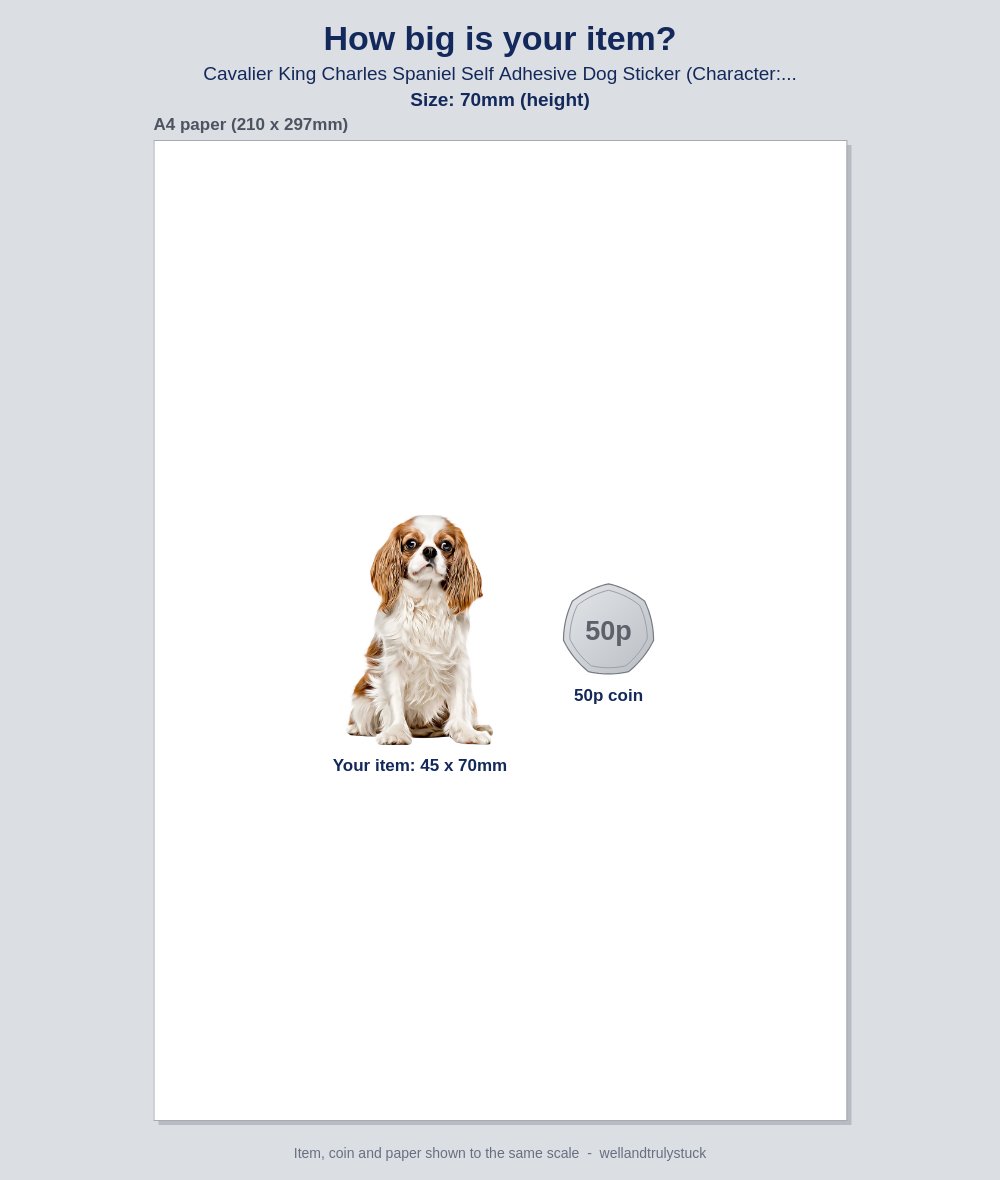
Show every buyer the size they ordered, automatically. SellerThanks can attach a "How big is your item?" picture to your after-payment message: the photo from your listing, drawn at the size the buyer chose, next to a 50p coin. It's made for each order, for the exact style and size they picked.
More guides: What to write in an eBay thank-you message, with examples · How to get more eBay feedback without breaking eBay's rules · eBay's rules on messaging buyers, explained · eBay buyer says the item is smaller than expected? How to prevent it · How to reduce returns on eBay: a guide for UK sellers · eBay dispatch message templates, with tracking · SellerThanks vs 3Dsellers: a simple alternative for small eBay sellers